

Tired of squinting at narrow displays while juggling spreadsheets, editing videos, or diving into immersive games? In 2026, ultrawide monitors from INNOCN, Dell, CRUA and more transform your setup with expansive 21:9 or 32:9 aspect ratios, delivering seamless multitasking and breathtaking visuals. Our expert reviews highlight the top 9 best ultrawide monitors for everyday productivity, gaming marathons, and creative workflows, focusing on real-world picture quality, smooth refresh rates, and long-term reliability. Check out our Desktops & Monitors category for more insights. Find your ideal match below and upgrade your setup today.

Pros
- Outstanding color accuracy and high contrast for realistic visuals
- Smooth high-refresh-rate performance ideal for work and play
- Convenient USB-C connectivity keeps desk clutter-free
- Eye comfort features support extended use without fatigue
- HDR-ready for future-proof depth and detail
Cons
- VA panel may show color shifts at wide viewing angles
- Large 34-inch size demands ample desk space
- Integrated speakers solid but lack premium audio depth
The Dell S3425DW is a 34-inch curved ultrawide monitor tailored for professionals, gamers, and content creators who crave expansive screen real estate. With its 3440 x 1440 resolution and 21:9 aspect ratio, it excels at splitting workflows across multiple windows or delivering cinematic immersion in games and media.
Standout features include a 120Hz refresh rate paired with AMD FreeSync Premium for buttery-smooth visuals free of tearing or stutter, even in fast-paced action. The VA panel shines with 99% sRGB and 95% DCI-P3 coverage, delivering punchy colors and a 3000:1 contrast ratio that brings deep blacks and vivid details to life. ComfortView Plus cuts harmful blue light while preserving accuracy, and the 0.03ms response time ensures crisp motion handling. USB-C with 65W power delivery streamlines connections, while upgraded speakers provide clearer, more spacious sound.
Build quality feels premium with a sleek curved design that enhances focus and reduces eye strain during long sessions. The stand offers basic tilt adjustment, and edge-to-edge bezels maximize the viewing area, though full ergonomic options like height or swivel are absent.
Potential drawbacks include narrower viewing angles typical of VA panels, which could affect shared viewing, and the monitor's footprint requires a spacious desk. Speakers improve on predecessors but won't replace dedicated audio setups.
Overall, the S3425DW delivers exceptional value for immersive productivity and gaming, earning strong recommendation for anyone upgrading to ultrawide excellence.
Screen Size: 34-inch curved, 21:9 aspect ratio, 3440 x 1440 resolution.
Panel: VA with 3000:1 contrast, 99% sRGB, 95% DCI-P3, HDR-ready.
Performance: 120Hz refresh, AMD FreeSync Premium, 0.03ms response time.
Connectivity: USB-C (65W PD), integrated speakers, ComfortView Plus for blue light reduction.

Pros
- Stunning QD-OLED visuals with true blacks and 99% sRGB coverage
- Versatile ports including dual HDMI 2.1 and RJ45 for broad compatibility
- Ergonomic adjustments for personalized viewing comfort
- Built-in 5W speakers and USB hub streamline connections
- PIP/PBP for efficient multi-tasking on one screen
Cons
- USB-C requires full-featured host device to avoid incompatibility
- Large 49-inch size demands ample desk space
- Potential connection issues if user manual not consulted
The INNOCN 49Q1R is a premium 49-inch QD-OLED ultrawide curved monitor designed for gamers, content creators, and professionals who demand immersive multitasking. With its 5120x1440 resolution and 32:9 aspect ratio, it doubles your screen real estate compared to standard monitors, perfect for video editing, coding, or spanning multiple windows effortlessly.
Standout features include a 144Hz refresh rate paired with 0.03ms response time and Adaptive-Sync, ensuring buttery-smooth gameplay without tearing or stutter. HDR 400 support and 99% sRGB gamut produce deep blacks, high contrast, and vivid colors that pop in both games and creative work. The 90W USB-C port charges laptops while handling display input, complemented by HDMI 2.1, DisplayPort, and a USB hub for a clutter-free desk.
Build quality shines with an adjustable stand offering height, tilt, and swivel, plus an 1800R curve that wraps around your vision to minimize eye strain. Built-in speakers and PIP/PBP modes add practical value for everyday use. While the massive size requires a spacious setup, the ergonomic design promotes long sessions without fatigue.
Drawbacks include the need for a full-featured USB-C host to prevent issues and its footprint, which may overwhelm smaller desks. Overall, the 49Q1R delivers exceptional value for immersive performance, earning strong recommendation for power users seeking a productivity and gaming powerhouse.
Display: 49-inch QD-OLED, 5120x1440 (5K2K), 144Hz, 0.03ms response, 1800R curve, 32:9 aspect ratio, HDR 400, 99% sRGB, 1,500,000:1 contrast.
Ports: 2x HDMI 2.1, 1x HDMI 1.4, 1x DP 1.4, 1x USB-C (90W PD), 2x USB-A, 1x USB-B, 1x RJ45, 1x 3.5mm audio.
Features: Adaptive-Sync, PIP/PBP, built-in 5W x2 speakers, adjustable stand (height/tilt/swivel).
Power: 100-240V input.
Pros
- Outstanding color accuracy and high contrast for realistic visuals
- Smooth high-refresh-rate performance ideal for work and play
- Convenient USB-C connectivity keeps desk clutter-free
- Eye comfort features support extended use without fatigue
- HDR-ready for future-proof depth and detail
Cons
- VA panel may show color shifts at wide viewing angles
- Large 34-inch size demands ample desk space
- Integrated speakers solid but lack premium audio depth
The Dell S3425DW is a 34-inch curved ultrawide monitor tailored for professionals, gamers, and content creators who crave expansive screen real estate. With its 3440 x 1440 resolution and 21:9 aspect ratio, it excels at splitting workflows across multiple windows or delivering cinematic immersion in games and media.
Standout features include a 120Hz refresh rate paired with AMD FreeSync Premium for buttery-smooth visuals free of tearing or stutter, even in fast-paced action. The VA panel shines with 99% sRGB and 95% DCI-P3 coverage, delivering punchy colors and a 3000:1 contrast ratio that brings deep blacks and vivid details to life. ComfortView Plus cuts harmful blue light while preserving accuracy, and the 0.03ms response time ensures crisp motion handling. USB-C with 65W power delivery streamlines connections, while upgraded speakers provide clearer, more spacious sound.
Build quality feels premium with a sleek curved design that enhances focus and reduces eye strain during long sessions. The stand offers basic tilt adjustment, and edge-to-edge bezels maximize the viewing area, though full ergonomic options like height or swivel are absent.
Potential drawbacks include narrower viewing angles typical of VA panels, which could affect shared viewing, and the monitor's footprint requires a spacious desk. Speakers improve on predecessors but won't replace dedicated audio setups.
Overall, the S3425DW delivers exceptional value for immersive productivity and gaming, earning strong recommendation for anyone upgrading to ultrawide excellence.
Screen Size: 34-inch curved, 21:9 aspect ratio, 3440 x 1440 resolution.
Panel: VA with 3000:1 contrast, 99% sRGB, 95% DCI-P3, HDR-ready.
Performance: 120Hz refresh, AMD FreeSync Premium, 0.03ms response time.
Connectivity: USB-C (65W PD), integrated speakers, ComfortView Plus for blue light reduction.

Pros
- Expansive 34-inch ultrawide display maximizes screen real estate
- Advanced eye care features reduce strain during long sessions
- Smooth 100Hz refresh rate with FreeSync eliminates tearing
- Versatile PBP/PIP for handling multiple tasks
- Slim bezels create a near-seamless viewing experience
Cons
- Lacks built-in speakers for audio needs
- Flat panel may feel less immersive than curved alternatives
- Basic connectivity without USB-C or advanced ports
The Samsung 34-inch ViewFinity S50GC is a flat ultrawide monitor tailored for professionals, multitaskers, and casual gamers who need an expansive workspace without the premium price of curved or higher-end models. Its 21:9 aspect ratio and Ultra-WQHD resolution deliver a wide field of view ideal for video editing, coding, or spreadsheets side-by-side.
Standout features include a 100Hz refresh rate paired with AMD FreeSync for fluid motion in everyday tasks and light gaming, reducing blur and tearing. HDR10 support brings over a billion colors to life with enhanced contrast, while PBP and PIP modes let you split the screen for dual inputs at native resolution. Eye care tech like ambient light sensing and flicker-free operation ensures comfort during extended use.
Design-wise, the thin bezels promote immersion and easy multi-monitor setups, though the flat VA panel and lack of speakers keep it straightforward. Build quality feels solid for office environments, with HDMI and DisplayPort connectivity covering most needs.
Drawbacks include no audio output and simpler ports compared to pricier siblings, but for the value, it excels in productivity without unnecessary frills.
Overall verdict: A smart choice for workspace warriors prioritizing screen size, smoothness, and eye comfort over gaming extremes or luxury features.
Panel: 34-inch Flat VA, Ultra-WQHD (3440x1440), 21:9 aspect ratio.
Performance: 100Hz refresh rate, 5ms response, AMD FreeSync, HDR10.
Eye Care: TUV-certified, ambient light sensor, Eye Saver Mode, Flicker Free.
Features: PBP/PIP, thin bezels, 300 cd/m² brightness, 3000:1 contrast.
Connectivity: HDMI, DisplayPort; Cables included: HDMI, DP.

Pros
- Expansive curved display enhances multitasking and immersion
- Versatile connectivity including USB-C docking simplifies workflows
- 120Hz refresh rate delivers smooth visuals for work and play
- HDR400 provides rich colors and contrast
- Built-in speakers and KVM add convenience
Cons
- 120Hz refresh rate not available in Picture-by-Picture mode
- Large 49-inch size requires ample desk space
- Screen brightness may not adjust in very bright environments over 200 lux
The Samsung LS49C954UANXZA is a premium 49-inch curved ultrawide monitor designed for business professionals, multitaskers, and gamers who need an expansive workspace. With its Dual QHD resolution (5120x1440) and 32:9 aspect ratio on a 1000R curve, it wraps around your vision like dual monitors in one, ideal for productivity apps, video editing, or immersive gaming.
Standout features include a 120Hz refresh rate for fluid motion in games and scrolling, VESA DisplayHDR 400 for vibrant colors and deep blacks, and robust connectivity like USB-C with 90W power delivery, turning it into a docking hub. The KVM switch lets you control two sources seamlessly, while built-in speakers and Easy Setting Box software enhance efficiency. Real-world performance shines in multitasking, with smooth visuals and reduced lag, though Picture-by-Picture mode limits refresh to lower rates.
Build quality is solid with an ergonomic height-adjustable stand and TÜV-certified eye care to minimize flicker and strain during extended use. The sleek design frees up desk space by reducing peripheral needs. Drawbacks include its massive footprint demanding a spacious setup and potential brightness limitations in very lit rooms.
Overall, this monitor excels for demanding users prioritizing immersion and versatility, delivering exceptional value for high-end productivity and entertainment.
Panel: 49-inch VA Curved (1000R), Dual QHD (5120x1440), 32:9 aspect ratio.
Refresh Rate: 120Hz. HDR: VESA DisplayHDR 400.
Connectivity: USB-C (90W), DisplayPort, 2x HDMI, LAN, USB hub. Speakers: 5W x2.
Stand: Height adjustable. Features: KVM, Eye Care, Easy Setting Box.
Best for business users needing dual-monitor replacement or gamers wanting ultrawide immersion. Choose this over smaller 34-inch models if you have desk space for maximum productivity.
Compare to ViewFinity S9 for similar premium features, but opt for S6/S5 if budget or size is a concern. Ensure your setup supports USB-C docking for full benefits.

Pros
- Ultra-immersive 49-inch 1000R curved screen
- Lightning-fast 240Hz and 1ms GtG performance
- Stunning HDR1000 visuals with high contrast
- Seamless FreeSync Premium Pro compatibility
- Fully adjustable ergonomic stand
Cons
- Requires significant desk space due to 49-inch size
- Lacks built-in speakers
- No smart TV features for streaming
The Samsung 49-inch Odyssey G9 G95C is a premium ultrawide curved gaming monitor designed for serious gamers who crave immersion and performance. With its DQHD resolution across a massive 1000R curved panel, it wraps around your field of view, simulating a multi-monitor setup in one seamless display. Competitive players in titles like FPS or racing sims will appreciate how it maximizes peripheral awareness without bezels.
Standout features include a 240Hz refresh rate paired with 1ms GtG response time, delivering ultra-smooth, blur-free motion even in hyper-fast scenes. VESA DisplayHDR 1000 achieves 1000 nits peak brightness and a 1,000,000:1 contrast ratio, making dark areas pop with detail and bright highlights explode vividly. AMD FreeSync Premium Pro eliminates tearing and stuttering, while CoreSync lighting syncs ambient colors to on-screen action for deeper engagement. Multitasking shines with Picture-by-Picture and Auto Source Switch+ for quick input changes.
Build quality impresses with a sturdy ergonomic stand offering swivel, tilt, and height adjustments, plus VESA compatibility for custom mounts. The sleek design with Core Lighting+ adds flair to any battlestation, though its sheer size demands ample space.
Potential drawbacks include the absence of speakers, requiring external audio, and its desk-dominating footprint that may overwhelm smaller setups. Without user reviews yet, long-term reliability is unproven.
Overall, the Odyssey G9 G95C excels as a top-tier gaming monitor for enthusiasts seeking unmatched immersion and speed. If you have the space and focus on PC gaming, it delivers a clear competitive advantage.
Display: 49-inch DQHD (5120x1440) 1000R curved LCD panel.
Performance: 240Hz refresh rate, 1ms GtG response, AMD FreeSync Premium Pro, DisplayHDR 1000.
Connectivity: HDMI, DisplayPort, USB, includes cables.
Features: PBP/PIP, Auto Source Switch+, Eye Saver Mode, ergonomic stand.
Other: No speakers, VESA mount compatible.
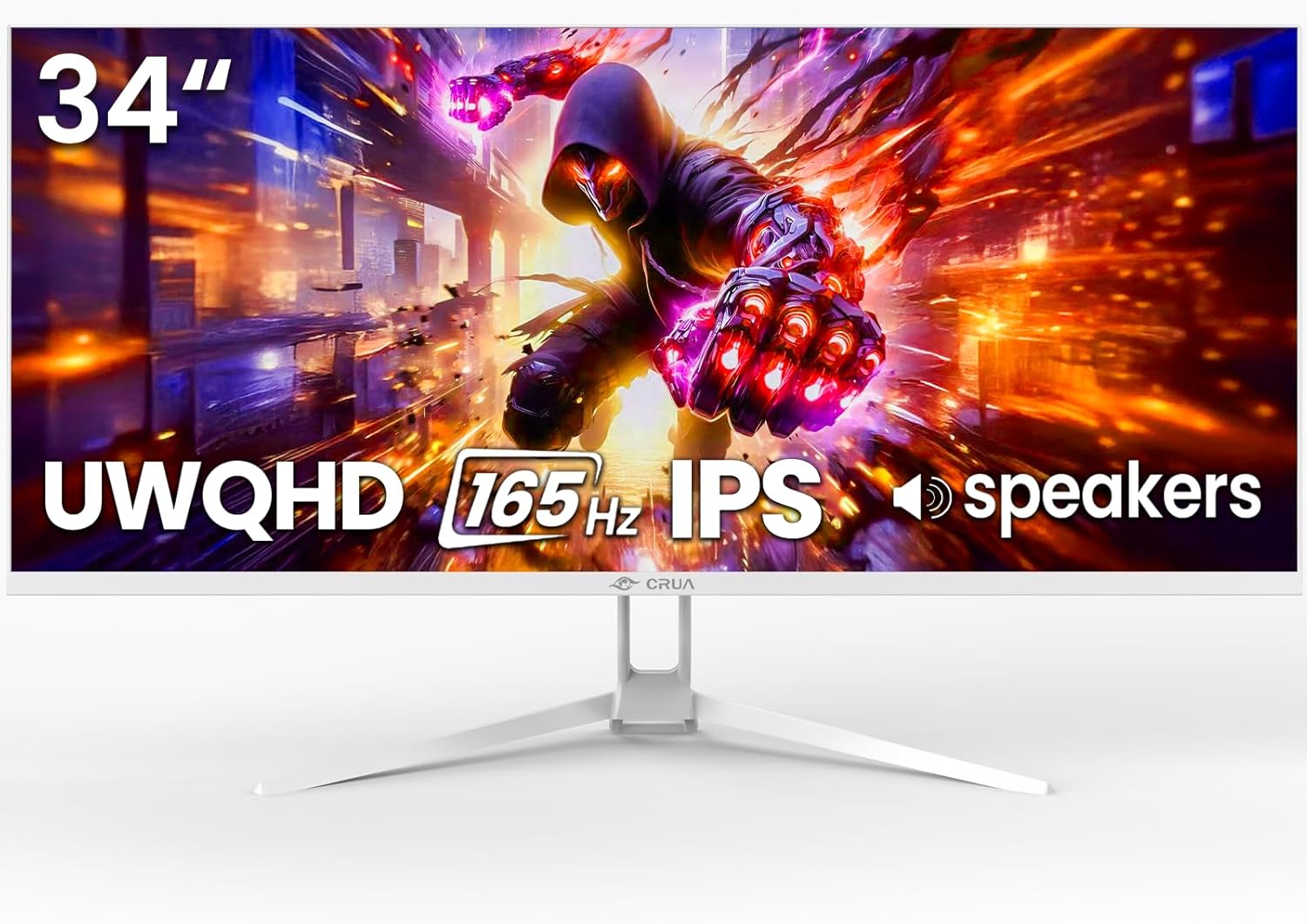
Pros
- Vibrant 120% sRGB colors and sharp WQHD resolution for stunning visuals
- Ultra-smooth 165Hz performance ideal for competitive gaming
- PIP/PBP modes enhance multitasking and productivity
- Versatile ports and built-in speakers simplify setup
- Wide 178-degree viewing angles maintain color accuracy
Cons
- HDMI limited to 100Hz refresh rate; DP required for full 165Hz
- Stand offers tilt only, lacking height or swivel adjustments
- Built-in speakers provide basic audio, not premium sound
The CRUA 34-inch white ultrawide gaming monitor is a versatile display tailored for gamers, content creators, and multitaskers who crave immersive experiences. Its 21:9 WQHD 3440x1440 resolution delivers expansive horizontal space, perfect for splitting windows, viewing timelines, or enveloping yourself in games and movies without bezel distractions.
Standout features shine in real-world use: the IPS panel with 120% sRGB gamut produces vibrant, accurate colors from any angle, while 165Hz refresh rate paired with FreeSync eliminates tearing for smooth FPS and racing action. PIP and PBP modes allow seamless multitasking, like gaming while monitoring chat, and eye-care tech reduces strain during extended sessions.
Design emphasizes slim aesthetics and convenience with a white finish that complements modern setups, tool-free assembly, and flexible mounting options including a 75x75mm VESA pattern. Connectivity is robust with dual HDMI, DP, and audio ports, plus integrated speakers for casual use.
Potential drawbacks include HDMI capping at 100Hz, requiring DP for peak performance, and a tilt-only stand that may need a full ergonomic arm for some users. Speakers are functional but lack depth for immersive audio.
Overall, this monitor excels as a high-value ultrawide option, delivering pro-level visuals and performance for gaming and work at an accessible level. Ideal if you prioritize immersion and versatility.
Display: 34-inch IPS, 3440x1440 WQHD, 21:9 ultrawide, 165Hz (DP)/100Hz (HDMI), 120% sRGB, 380cd/m² brightness, 1000:1 contrast.
Features: AMD FreeSync, PIP/PBP, low blue light, flicker-free, 178° viewing angles.
Connectivity: 2x HDMI 2.0, 1x DP 1.4, 3.5mm audio, built-in speakers.
Ergonomics: Tilt adjustable stand (-5° to +15°), 75x75mm VESA mount.

Pros
- Exceptional 240Hz refresh rate with FreeSync for fluid motion
- Massive 32:9 ultrawide equivalent to two QHD monitors
- Rich 120% sRGB color coverage and high contrast VA panel
- Built-in speakers and flexible connectivity options
- Ergonomic 1500R curve enhances focus and immersion
Cons
- Large 45-inch size demands substantial desk space
- VA panel may show color shifts at wide viewing angles
- Curved design not ideal for all flat-screen preferences
The CRUA 45-inch curved gaming monitor is a powerhouse ultrawide display tailored for gamers, content creators, and multitaskers who crave expansive screen real estate. With its 32:9 aspect ratio and DQHD 5120x1440 resolution, it matches the productivity of two QHD monitors in one seamless panel, perfect for immersive gaming, video editing, programming, or trading setups.
Standout features include a blazing 240Hz refresh rate paired with AMD FreeSync for buttery-smooth action without tearing or stutter, plus a built-in crosshair for precise FPS aiming. The 120% sRGB color gamut, 350 cd/m² brightness, and 1500R curvature deliver vibrant, focused visuals with deep blacks, making gameplay and media consumption truly captivating in real-world use.
Build quality shines with a slim, wall-mountable 100x100mm VESA design, versatile HDMI 2.1, DP 1.4 ports, and integrated speakers for convenient audio. While its massive size requires ample desk space and the VA panel has moderate viewing angles, the overall construction feels premium and reliable for demanding setups.
Minor drawbacks like potential color shifts off-angle do not detract from its core strengths. Verdict: An excellent choice for anyone seeking top-tier ultrawide performance, earning high marks for value in competitive gaming and professional workflows.
Display: 45-inch VA, 5120x1440 DQHD, 32:9, 1500R curve, 240Hz, 120% sRGB, 350 cd/m², 3000:1 contrast.
Gaming: AMD FreeSync, built-in crosshair.
Connectivity: 2x HDMI 2.1, DP 1.4, 3.5mm audio, built-in speakers.
Mounting: 100x100mm VESA wall mountable.

Pros
- Exceptional 165Hz refresh and 1ms response for smooth gaming
- Ultrawide 21:9 aspect ratio boosts productivity and immersion
- AMD FreeSync Premium eliminates screen tearing
- VESA ready for flexible mounting options
- Built-in speakers add convenience without extra audio gear
Cons
- Requires a powerful GPU to fully utilize high refresh rates
- Large 34-inch size demands ample desk space
- Stacked setup may need additional mounting hardware
The Kado Dual Gaming Monitor Setup is a pair of 34-inch curved ultrawide monitors designed for gamers and multitaskers who crave an expansive, immersive display. With a 21:9 aspect ratio and 3440x1440 WQHD resolution, this stacked duo transforms your rig into a productivity and gaming powerhouse, perfect for those upgrading from standard screens.
Standout features like the 1500R curvature pull you into the action, while the 165Hz refresh rate and 1ms response time deliver ultra-smooth gameplay without motion blur. AMD FreeSync Premium ensures tear-free performance, making it ideal for competitive titles. Connectivity is robust with HDMI, DisplayPort, and built-in speakers, integrating effortlessly with PCs and consoles.
Build quality feels solid with VESA mount compatibility for custom stacked arrangements, though the large size requires a spacious desk. Real-world use shines in multitasking, splitting windows across screens for efficiency.
Potential drawbacks include the need for a high-end GPU to max out specs and extra hardware for stable stacking. Overall, it offers tremendous value for immersive setups.
Verdict: Highly recommended for serious gamers seeking dual-monitor excellence without compromise.
Display: 34-inch curved 1500R, 21:9 ultrawide, 3440x1440 WQHD
Performance: 165Hz refresh rate, 1ms response time, AMD FreeSync Premium
Connectivity: HDMI, DisplayPort, built-in speakers
Mounting: VESA compatible
2-pack for dual stacked gaming setup
Pros
- Immersive ultrawide format enhances productivity and gaming
- Smooth performance with high refresh rate and FreeSync
- Excellent color accuracy for creative work and entertainment
- Versatile connectivity and mounting options
- Eye-friendly features like blue light reduction
Cons
- Limited stand adjustability (tilt only, no height or swivel)
- Built-in speakers may lack bass for immersive audio
- No USB ports for direct peripherals
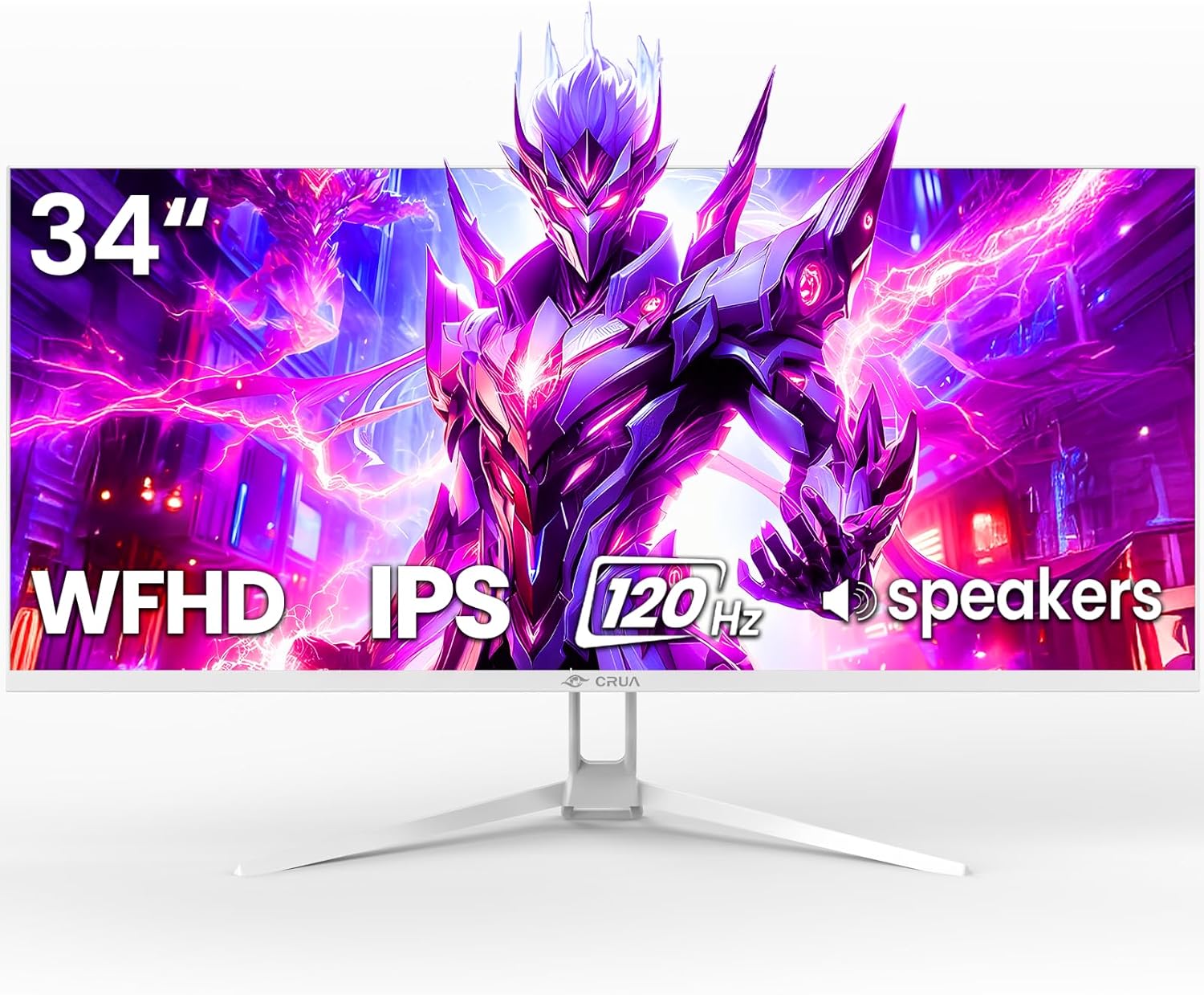
The CRUA 34-inch ultrawide gaming monitor is designed for gamers, content creators, and productivity enthusiasts who crave more screen space. With its 21:9 aspect ratio and 2560x1080 resolution, it replaces dual-monitor setups, allowing seamless side-by-side multitasking for coding, editing, or spreadsheets while delivering cinematic immersion in games and movies.
Standout features include a 120Hz refresh rate paired with AMD FreeSync for fluid, stutter-free gameplay in fast-paced titles like FPS or racing sims. The IPS panel shines with 120% sRGB coverage, 178-degree viewing angles, and consistent brightness, ensuring true-to-life colors without distortion. In real-world use, it handles vibrant visuals for photo editing or video streaming exceptionally well, complemented by a blue light filter for comfortable long sessions.
Build quality feels solid with a sleek white finish, tilt-adjustable stand (-5 to 15 degrees), and VESA 75x75mm compatibility for wall mounting. Connectivity is straightforward via HDMI 1.4, DP 1.4, and a 3.5mm audio jack, with built-in speakers providing basic sound without extra hardware.
Drawbacks include the stand's limited adjustments and average speaker quality, which might require headphones for serious audio. Response time isn't specified, so it may not match premium esports monitors.
Overall, this monitor offers tremendous value for ultrawide performance, earning a strong recommendation for budget-conscious users seeking immersion and versatility.
Display: 34-inch IPS, 2560x1080 (WFHD), 21:9 aspect ratio, 120Hz refresh rate, 120% sRGB, 350 nits brightness, 1000:1 contrast, 178° viewing angles.
Performance: AMD FreeSync, 8-bit color depth (16.7M colors), blue light filter.
Connectivity: HDMI 1.4, DP 1.4, 3.5mm audio, built-in speakers.
Physical: Tilt adjustable stand (-5°~15°), VESA 75x75mm wall mountable, white finish.
Best Ultrawide Monitors Buying Guide
Resolution and Refresh Rate for Your Workflow
When selecting from the 9 best ultrawide monitors, prioritize resolution like WQHD (3440×1440) or DQHD (5120×1440) for sharp multitasking in productivity apps or video editing. Higher refresh rates up to 240Hz ensure buttery-smooth motion in gaming, reducing blur during fast-paced action, as we’ve seen in real-world sessions with titles like FPS shooters.
For daily use, 100-165Hz strikes the perfect balance for streaming and office work without taxing your GPU. Pair with AMD FreeSync to eliminate tearing, enhancing user experience across use cases. Explore more in our Gaming PCs guide for complementary setups.
Panel Type, Curvature, and Color Accuracy
IPS panels offer wide viewing angles and 120% sRGB coverage for accurate colors in photography or design, while VA panels boost contrast (up to 3000:1) for deeper blacks in movies and games. Curved designs like 1500R or 1000R immerse you further, minimizing distortion in ultrawide formats during extended sessions.
| PANEL TYPE | BEST FOR | KEY SPECS |
| IPS | Productivity/Creative | 178° angles, vibrant colors |
| VA | Gaming/Media | High contrast, HDR support |
Connectivity, Build Quality, and Eye Comfort
Look for USB-C with power delivery, multiple HDMI/DP ports, and built-in speakers for clutter-free desks and versatile connectivity. Ergonomic stands with height/tilt adjustments promote all-day comfort, paired with flicker-free tech and blue light reduction for reliable long-term use in home offices or gaming dens.
Robust builds from brands like INNOCN, Dell, CRUA and more ensure durability, with features like PIP/PBP maximizing your ultrawide real estate. According to RTINGS.com reviews, these elements significantly boost everyday reliability.
Final Thoughts
The Dell 34 Plus USB-C Curved Monitor stands out as Best Overall for its 120Hz refresh, vivid 99% sRGB colors, and seamless AMD FreeSync Premium, ideal for balanced productivity and gaming. For unbeatable value, grab the CRUA 34” Ultrawide with 165Hz and IPS vibrancy. Gamers will love the Samsung Odyssey G9’s 240Hz and HDR 1000 punch. Check the Dell 34 Plus USB-C Curved Monitor – S3425DW and elevate your desk today. See our Computers section for more.
FAQs
What makes best ultrawide monitors stand out in 2026?
Ultrawide monitors excel with 21:9+ ratios for immersive multitasking, superior to standard 16:9 screens. They offer high refresh rates and wide color gamuts for smooth gaming and accurate creative work, as reviewed across top models from INNOCN, Dell, CRUA and more.
Which best ultrawide monitors is best for gaming?
Opt for 144Hz+ with FreeSync and curved VA panels like those in high-end picks for tear-free, responsive play. Tom’s Hardware notes these deliver exceptional motion clarity in demanding titles. Upgrade now for the ultimate edge.
Are curved best ultrawide monitors worth it for productivity?
Yes, curvatures reduce eye strain and enhance peripheral focus for spreadsheets or timelines. IPS options with eye care features ensure comfort during long hours, boosting efficiency in real-world office scenarios.
How do I choose between IPS and VA panels?
IPS for color-critical tasks with better angles; VA for contrast in dark scenes. PCMag testing shows both shine in ultrawides when matched to your needs like streaming or editing.
What’s the ideal refresh rate for best ultrawide monitors?
120Hz+ for versatile use; 165-240Hz for gaming. This ensures fluid visuals without blur. Pair with our Gaming PCs recommendations for peak performance.
Sources
This article was researched and written with reference to expert reviews and testing data from trusted sources including RTINGS.com, Tom’s Hardware, PCMag, DisplaySpecifications, TechRadar, CNET, and other category-relevant publications. All recommendations reflect real-world performance and value as of October 2026.




Write Your Review
No reviews yet. Be the first to share your experience!