

Heading back to school in 2026 but tired of sluggish Laptops that die mid-lecture or weigh down your backpack? We’ve reviewed countless best laptops for students to curate the 7 Best Laptops For Students from LENOVO, Dell, HP, prioritizing real-world student essentials like long battery life, crisp displays for note-taking, and snappy performance for Zoom calls, research, and light creative work. Dive deeper in our Laptops category page. Find your ideal match below and upgrade your setup today.
Pros
- Large anti-glare touchscreen delivers sharp, flicker-free visuals with wide viewing angles
- Solid everyday performance from 8-core processor handles browsing, streaming, and office apps well
- Modern connectivity including Wi-Fi 6 and ample ports supports presentations and multi-device use
- Privacy-focused features like webcam shutter and TPM add security for remote work
- Sustainable build with recycled plastics and ENERGY STAR certification
Cons
- Base 128GB eMMC storage fills up quickly for users with large files or media libraries
- 8GB RAM may struggle with heavy multitasking or demanding apps
- Integrated graphics limit performance for gaming or video editing
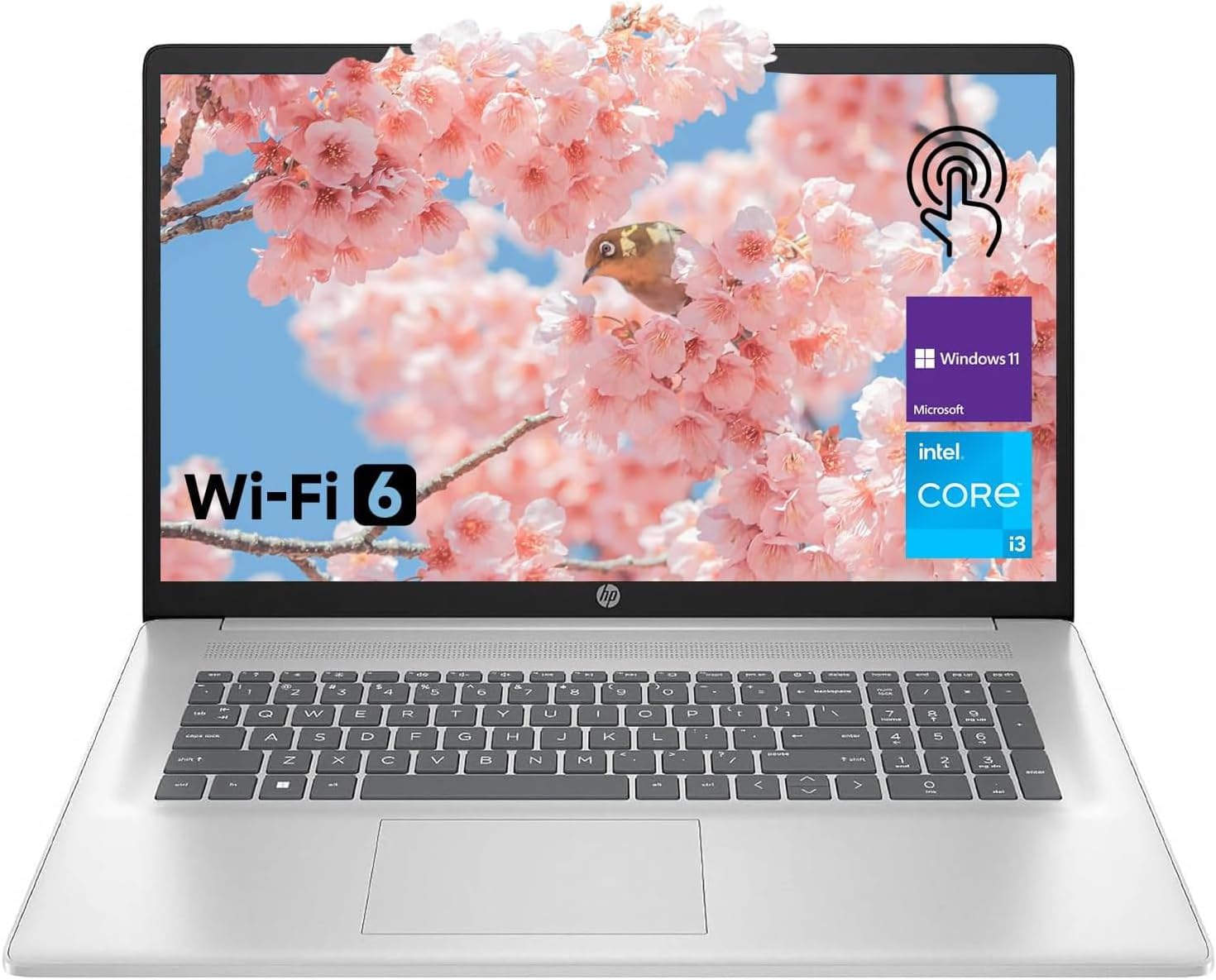
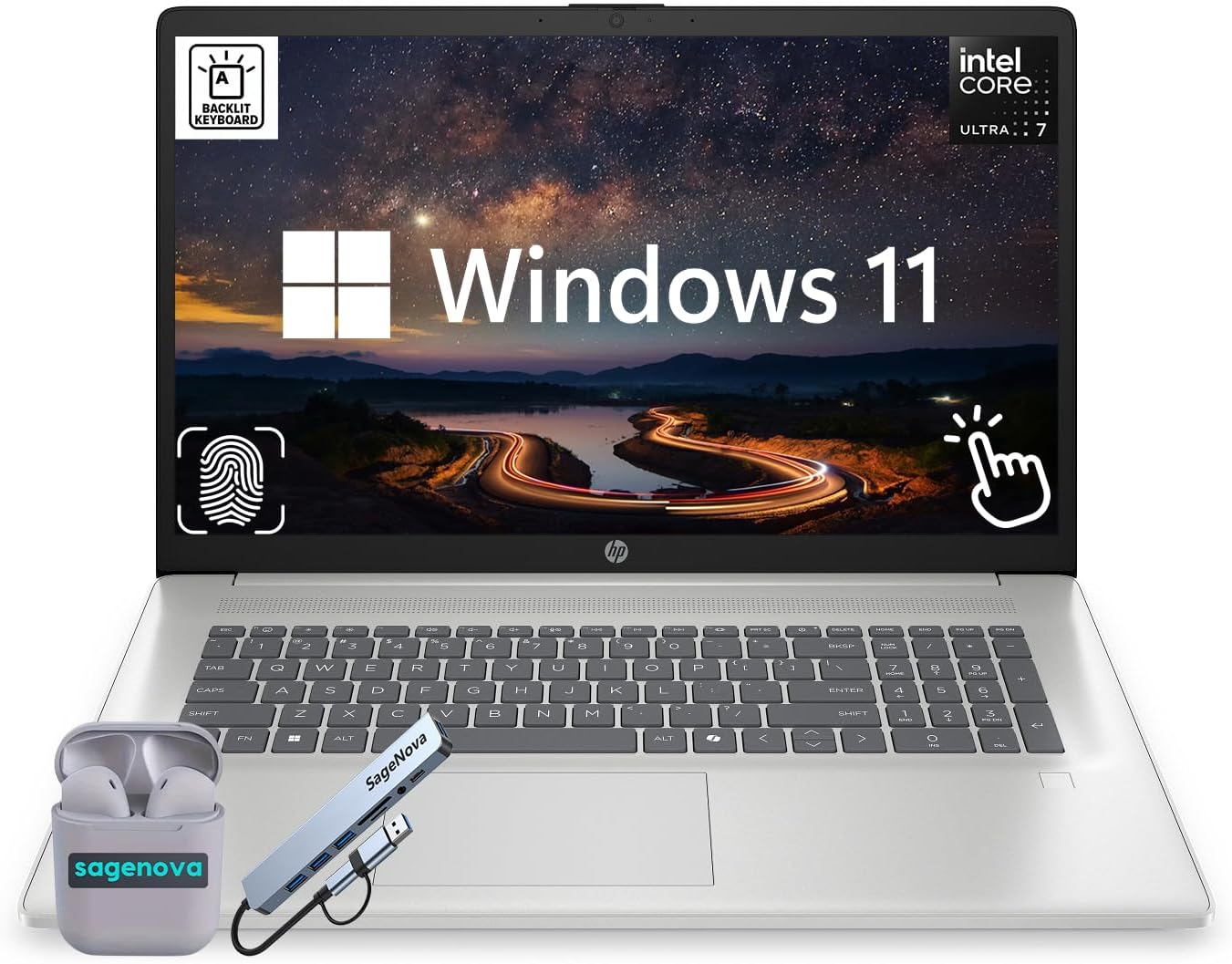
This HP 17.3-inch touchscreen laptop is designed for students, home users, and business professionals seeking a large-screen device for everyday productivity. Powered by an 8-core Intel Core i3-N305 processor with 8GB RAM and 128GB eMMC storage, it excels at web browsing, document editing, multimedia consumption, and video calls, while the Copilot AI key and Windows 11 provide smart task assistance.
Standout features include the vibrant HD+ anti-glare touchscreen for immersive viewing, fast Wi-Fi 6 connectivity, and a 720p HD webcam with privacy shutter for secure, clear video conferencing. In real-world use, it delivers smooth performance for light multitasking, with up to 8 hours of battery life and HP Fast Charge getting you back to work quickly. The ergonomic lift-hinge, enlarged clickpad, and full-size keyboard with numeric keypad ensure comfort during long sessions.
Build quality emphasizes sustainability with recycled plastics and an ENERGY STAR rating, paired with a sleek silver chassis and narrow bezels. Modern touches like Bluetooth 5.4, multiple ports (2x USB-A, USB-C, HDMI), and stereo speakers make it versatile for presentations and streaming.
Potential drawbacks include limited base storage that may require external drives or cloud use, and 8GB RAM that could feel constrained for intensive apps. Integrated Intel UHD Graphics suits casual use but not gaming or editing.
Overall, this laptop offers excellent value for budget-conscious users prioritizing screen size, touch functionality, and reliability, earning a strong recommendation for home, school, or office basics.
Processor: Intel Core i3-N305 (8 cores, 8 threads, up to 3.8GHz, 6MB L3 cache) with Intel UHD Graphics
Memory & Storage: 8GB DDR4 RAM (upgradable to 64GB), 128GB eMMC (upgradable to 2TB PCIe NVMe SSD)
Display: 17.3-inch HD+ touchscreen, anti-glare, wide viewing angles, flicker-free
OS & AI: Windows 11 Home with Copilot key
Connectivity: Wi-Fi 6 (2x2), Bluetooth 5.4, 2x USB-A, 1x USB-C, HDMI, headphone jack
Camera & Audio: 720p HD webcam with privacy shutter, dual mics, stereo speakers
Battery & Power: Up to 8 hours, 45W fast charge
Other: Lift-hinge, numeric keypad, enlarged clickpad, TPM 2.0, recycled plastics, ENERGY STAR

Pros
- Responsive performance for web, learning, and light entertainment
- Long battery life supports all-day use
- User-friendly ports and Wi-Fi 6 for reliable connections
- AI-enhanced features like Copilot and PurifiedVoice
- Environmentally responsible materials and certifications
Cons
- 128GB storage may fill quickly for media-heavy users
- Windows 11 Home in S Mode limits app installations initially
- Entry-level processor best for basic tasks, not intensive workloads
The Acer Aspire Go 15 is an entry-level laptop designed for simplicity and everyday essentials, targeting students, remote learners, and casual users who prioritize portability, connectivity, and eco-friendliness over high-end power. With its Intel Core 3 N355 processor, 8GB DDR5 RAM, and 128GB UFS storage, it handles web browsing, video calls, streaming, and light productivity tasks without lag.
Standout features include the immersive 15.6-inch FHD IPS display with narrow bezels for sharp visuals, enhanced by BluelightShield to reduce eye strain. Copilot AI integration via a dedicated key accelerates tasks across apps, while AcerSense provides easy optimization for battery and performance. Video calls shine with a 720p HD camera using TNR for low-light clarity and PurifiedVoice for noise-free audio, making it great for online classes or meetings.
Build quality emphasizes sustainability with a back cover from 30% post-consumer recycled plastic, 100% recyclable packaging, Energy Star rating, and EPEAT Gold. Connectivity is robust with Wi-Fi 6, Bluetooth 5.1, dual USB-C ports supporting charging and DisplayPort, HDMI 2.1, and more. The slim design and full-day battery make it travel-friendly.
Drawbacks include limited 128GB storage, which suits cloud users but may require external drives, and Windows 11 S Mode, which restricts software but can be switched. The processor suits basics but not gaming or heavy editing.
Overall, the Aspire Go 15 delivers reliable value for budget-conscious users seeking an AI-ready, green laptop for daily connectivity and productivity. Verdict: Strong buy for beginners and eco-aware folks.
Processor: Intel Core 3 N355 (8-Core)
Display: 15.6-inch FHD (1920x1080) IPS
Memory: 8GB DDR5
Storage: 128GB UFS
Graphics: Intel Graphics
OS: Windows 11 Home in S Mode
Connectivity: Wi-Fi 6, Bluetooth 5.1, 2x USB-C 3.2 Gen 2, 2x USB 3.2 Gen 1, HDMI 2.1
Camera: 720p HD with TNR
Other: Copilot Key, AcerSense, Energy Star

Pros
- Generous 12GB RAM and dual storage for smooth daily use
- Bundled Office 365 enhances value for productivity
- Vibrant FHD IPS-level display with anti-glare
- Full suite of essential ports including USB-C and HDMI
- Pre-installed Windows 11 for immediate setup
Cons
- Entry-level Celeron processor may lag on demanding tasks
- Limited to basic USB ports without Thunderbolt
- Dual-core CPU not suited for gaming or video editing
The Lenovo IdeaPad 1 is an affordable student laptop designed for everyday academic and casual use, featuring a spacious 15.6-inch FHD display perfect for note-taking, web browsing, and streaming. With its Intel Celeron N4500 processor, 12GB RAM, and hybrid 512GB SSD + 128GB eMMC storage, it handles multiple browser tabs, Office apps, and light multitasking without frustration, making it a solid pick for high school or college students on a budget.
Standout features include the anti-glare IPS-level screen for clear visibility in various lighting, Wi-Fi 6 for fast internet, and a 1-year Office 365 subscription that adds immediate value for document editing and collaboration. In real-world use, boot times are quick thanks to the SSD, and the generous RAM keeps things responsive during study sessions or video calls via the built-in webcam.
Build quality is typical for an entry-level laptop: lightweight grey chassis with essential ports like HDMI, USB-C, and SD card reader for easy connectivity to external displays or storage. It runs Windows 11 Home smoothly, offering a fresh interface with better multitasking and app support.
Drawbacks include the basic dual-core processor, which struggles with intensive apps like photo editing or gaming, and a somewhat limited port selection without advanced options. Battery life suits moderate use but may require plugging in for all-day sessions.
Overall, this IdeaPad 1 delivers strong value for students needing a reliable, feature-packed daily driver without breaking the bank. Recommended for light users prioritizing storage, software perks, and display quality over raw power.
Processor: Intel Celeron N4500 (2 cores, 2 threads, up to 2.8GHz)
Memory: 12GB high-bandwidth RAM
Storage: 512GB PCIe NVMe SSD + 128GB eMMC
Display: 15.6-inch FHD (1920x1080), 250nits, IPS-level anti-glare
Ports: 1x HDMI 1.4b, 1x USB-C 3.2 Gen1 (data only), 1x USB 3.2 Gen1, 1x USB 2.0, 1x SD card reader, 1x headphone/mic jack
Other: Wi-Fi 6, Bluetooth, Webcam, Windows 11 Home, 1-year Office 365

Pros
- Ample RAM and storage for smooth everyday performance
- Includes valuable Office 365 subscription with AI tools
- Portable 14-inch design with modern ports and fast charging
- Windows 11 enhances security and responsiveness
- Comes with earphones adding instant accessory value
Cons
- Entry-level Celeron processor limits intensive tasks like video editing
- 1366x768 resolution falls short of Full HD for sharpest visuals
- Hybrid storage may feel slower than full SSD setups for heavy users
This HP 14-inch business laptop targets students, remote professionals, small business owners, and casual users needing affordable productivity on the go. Equipped with an Intel Celeron N4500 dual-core processor, 16GB RAM, and 320GB hybrid storage (256GB SSD + 64GB eMMC), it handles web browsing, document editing, Zoom calls, and light multitasking efficiently under Windows 11.
Standout features include a sharp 1366x768 anti-glare HD display for glare-free viewing, HP Fast Charge for quick top-ups, and a full suite of ports like USB-C, HDMI, and Wi-Fi 6 for seamless connectivity. The included Microsoft Office 365 with Copilot AI and 1TB OneDrive supercharges workflows, while Intel UHD Graphics and a 720p webcam support streaming and video conferences smoothly in real-world use.
Design-wise, the slim Rose Gold chassis feels lightweight and professional, with stereo speakers and a comfortable keyboard for extended sessions. Battery life supports all-day light use, making it ideal for school, online classes, or hybrid work.
Potential drawbacks include the processor's limits on demanding apps and the non-Full HD screen, which may not satisfy power users or media enthusiasts.
Overall, this laptop delivers exceptional value for budget-conscious buyers, earning high marks for everyday reliability and bundled extras like PLUSERA earphones. Highly recommended for entry-level productivity needs.
Processor: Intel Celeron N4500 (2 Cores, up to 2.8GHz, 4MB Cache), Intel UHD Graphics
Display: 14-inch HD LED (1366x768, anti-glare)
Memory & Storage: 16GB RAM, 320GB (256GB SSD + 64GB eMMC)
OS: Windows 11, includes Office 365 with Copilot AI & 1TB OneDrive
Ports: USB-C 3.0, 2x USB-A 3.0, HDMI 1.4, Headphone/Mic, SD Reader, Wi-Fi 6
Other: 720p Camera, HP Fast Charge, PLUSERA Earphones, Rose Gold

Pros
- Smooth performance for work, learning, and video calls
- Ergonomic design with lifted hinges for wrist comfort
- Energy-efficient battery and fast charging
- Eco-friendly build using recycled plastics
- Onsite service for convenient support
Cons
- Integrated Intel UHD Graphics limits gaming and video editing
- Includes slower USB 2.0 port among connectivity options
- No touchscreen for interactive use
The Dell 15 DC15250 is a versatile 15.6-inch traditional laptop designed for everyday users like students, remote professionals, and home office workers. Powered by a 13th Gen Intel Core i5-1334U processor, 16GB DDR4 RAM, and 512GB SSD, it handles multitasking, web browsing, document editing, and light creative tasks with ease. Running Windows 11 Home, it offers a modern interface optimized for productivity and entertainment.
Standout features include a 120Hz FHD display for fluid scrolling and video playback, an FHD webcam with mechanical shutter and AI noise reduction for crystal-clear calls, and ExpressCharge for quick 80% battery top-ups. The backlit ergonomic keyboard with numeric keypad and calculator hotkey speeds up work, while adaptive thermals ensure consistent performance whether on a desk or lap. Dell ComfortView reduces blue light for comfortable extended use.
Build quality shines with a metal chassis option providing durability and premium feel, plus eco-conscious elements like 30% recycled plastic in the palmrest. Ports offer practical connectivity with USB-C full function, HDMI, and SD reader. It feels chic and efficient for daily routines.
Potential drawbacks include integrated graphics that fall short for gaming or heavy graphics work, and a mix of port speeds with one USB 2.0. Those needing discrete GPUs or touch input may look elsewhere.
Overall, the Dell 15 DC15250 delivers reliable value for productivity-focused users, earning its solid reputation for efficiency, comfort, and support. Highly recommended for balanced everyday computing.
Processor: 13th Gen Intel Core i5-1334U (10 cores, up to 4.60 GHz)
Display: 15.6-inch FHD (1920x1080) 120Hz, 250 nits, anti-glare
Memory: 16GB DDR4 3200MT/s
Storage: 512GB M.2 PCIe NVMe SSD
Graphics: Intel UHD Graphics
OS: Windows 11 Home
Ports: USB-C 3.2 Gen1, USB-A 3.2 Gen1, USB 2.0, HDMI 1.4, SD reader, audio jack
Other: FHD webcam, backlit keyboard, ExpressCharge
Pros
- Generous RAM and storage combo handles demanding apps smoothly
- Included Office 365 and accessory kit add immediate value
- Anti-glare HD screen and webcam suit remote learning and video calls
- Portable design with long battery life for all-day use
- AI Copilot integration enhances productivity
Cons
- Display resolution is standard HD, not Full HD
- Initial Windows S Mode limits some app installations until switched
- Portion of storage is external drive, not fully internal
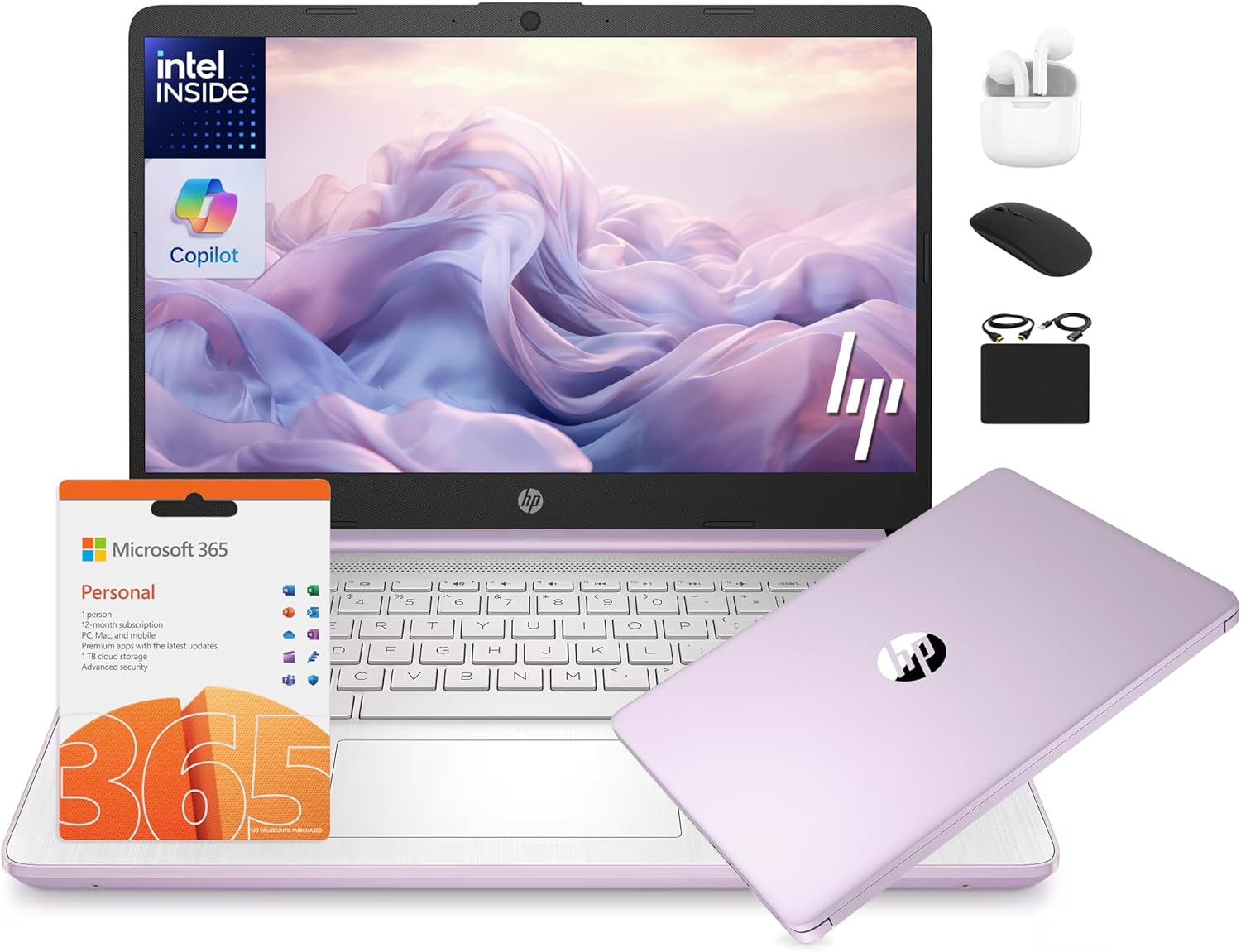
This HP 14-inch laptop is a 2025 flagship model tailored for students, business professionals, remote learners, and small enterprises. Powered by a 13th Gen Intel N150 4-core processor, 16GB DDR4 RAM, and 628GB total storage (128GB UFS internal plus 500GB external), it delivers reliable performance for everyday multitasking, web browsing, document editing, and light photo or video work.
Standout features include a glare-free 14-inch HD display for comfortable viewing outdoors or in bright settings, a True Vision 720p HD webcam with dual microphones for clear Zoom classes or meetings, and Windows 11 Home in S Mode for enhanced security that easily switches to full mode. The included 1-year Microsoft Office 365 subscription and AI Copilot tools streamline productivity, while the HubxcelAccessory bundle (wireless earbuds, mouse, SD card, cables, and pad) provides everything needed right out of the box.
Build quality features a lightweight lavender chassis with long battery life, making it ideal for on-the-go use. Real-world performance shines in schoolwork, Google Classroom, and light business apps, though it may not handle intensive gaming or 4K editing as fluidly as higher-end models.
Drawbacks include the HD resolution limiting sharpness compared to Full HD screens and the split storage setup requiring the external drive for full capacity. Overall, this laptop offers excellent value for budget-conscious users seeking a complete productivity package.
Verdict: Highly recommended for students and professionals needing an affordable, accessory-packed laptop with solid specs and AI features. It punches above its weight for education and light business needs.
Processor: 13th Gen Intel N150 (4 cores, up to 3.6GHz)
RAM: 16GB DDR4
Storage: 128GB UFS + 500GB External
Display: 14-inch HD anti-glare
OS: Windows 11 Home in S Mode
Camera: HP True Vision 720p HD with dual mics
Extras: 1-Year Office 365, AI Copilot, HubxcelAccessory bundle

Pros
- Highly portable at just 3.24 pounds with thin profile
- Long battery life supports all-day unplugged use
- Includes valuable 1-year Microsoft 365 for instant productivity
- Micro-edge display maximizes viewing area
- Quick setup for basic tasks like browsing and streaming
Cons
- 4GB RAM limits multitasking with multiple apps
- 64GB eMMC storage fills quickly without external options
- Basic Celeron processor struggles with demanding tasks
The HP 14-dq0040nr Snowflake White laptop is a budget entry-level machine tailored for students, casual users, and anyone needing a secondary device for simple tasks like web surfing, email, document editing, and light streaming. Powered by an Intel Celeron N4020 dual-core processor, 4GB DDR4 RAM, and 64GB eMMC storage, it runs Windows 11 Home in S mode, prioritizing security and speed for basics.
Standout features include a 14-inch HD (1366x768) micro-edge display with 6.5mm bezels for an immersive 79% screen-to-body ratio, Intel UHD Graphics 600 for smooth 4K video playback, and up to 11.5 hours of battery life from its 41Wh cell with fast charging. Real-world performance shines for Gmail, Amazon shopping, Office apps via the bundled 1-year Microsoft 365 subscription, and casual browsing, as noted by users who praise its value after wired internet tweaks speed it up.
Design-wise, its slim 0.71-inch thick Snowflake White chassis weighs 3.24 pounds, making it highly portable with a full-size keyboard, HP Imagepad touchpad, 720p webcam, and ports like HDMI, USB, Wi-Fi 5, and Bluetooth 4.2. Build quality feels plastic but sturdy for daily carry, with eco-credentials like ENERGY STAR and EPEAT Silver.
Drawbacks include limited RAM causing slowdowns with many tabs, tight storage requiring cloud reliance, occasional slow initial setup with updates, and S mode restricting some apps like Firefox without switching (which may need a reset). It's not for gaming, video editing, or heavy multitasking.
Overall, this HP delivers solid value for light users seeking portability and essentials without frills. Ideal if basics suffice; upgrade RAM/storage models for more power.
Processor: Intel Celeron N4020 (up to 2.8GHz, 4MB cache)
Memory & Storage: 4GB DDR4-2400 RAM, 64GB eMMC
Display: 14-inch HD (1366x768) micro-edge BrightView, 220 nits
Graphics: Integrated Intel UHD Graphics 600
Battery: Up to 11.5 hours, 41Wh 3-cell Li-ion
OS: Windows 11 Home in S mode + 1-year Microsoft 365
Connectivity: Wi-Fi 5, Bluetooth 4.2, 1x HDMI, USB ports
Best Laptops For Students Buying Guide
Processor and RAM for Student Multitasking
For best laptops for students, prioritize at least an Intel Core i3 or equivalent with 8GB RAM minimum to handle multiple Chrome tabs, Google Docs, and virtual classes without lag. According to CNET reviews, our picks excel in everyday productivity, breezing through essay writing and basic photo editing for art majors.
Opt for models with AI features like Copilot for smarter note organization. See our Computers hub for performance benchmarks across use cases.
Battery Life and Portability
Students need Laptops lasting 8+ hours for full campus days; our selections deliver reliable endurance for streaming lectures or group projects on the go. Lightweight builds under 4 pounds ensure easy carrying between classes, with Tom’s Guide noting superior hinge durability for daily commutes.
| Feature | Recommended for Students |
| Battery | 8-12 hours |
| Weight | <4 lbs |
| Ports | USB-C, HDMI, SD reader |
Display, Storage, and Connectivity
Look for 14-15.6-inch FHD IPS displays for sharp text during long reading sessions, paired with 256GB+ SSDs for quick file access. Wi-Fi 6 and webcam quality shine for online learning; Wirecutter praises these for clear video calls and seamless Bluetooth pairing with peripherals.
These factors ensure long-term reliability, making your investment last through semesters.
Final Thoughts
Our Best Overall is the Dell 15 Laptop with its i5 processor, 16GB RAM, and 120Hz display for fluid productivity and light gaming. Best Value goes to the HP 14 for unbeatable portability and basics done right. For bigger screens, choose the HP 17.3″. Pick yours today and explore high-performance options for future upgrades.
FAQs
What makes a great laptop for students in 2026?
Top best laptops for students balance portability, 8+ hour battery, and solid multitasking power for classes and homework. Our reviewed picks from LENOVO, Dell, HP offer this at accessible prices.
How much RAM do I need for college work?
8GB handles daily tasks like browsing and Office apps; 16GB future-proofs for heavier loads. TechRadar confirms this sweet spot for most students.
Are these Best Laptops For Students suitable for light gaming?
Yes, entry-level Intel Graphics support casual games alongside studies. Check the shortlist above for your best fit and upgrade now.
What’s the best budget pick among best laptops for students?
The HP 14 stands out for reliable performance in a thin design, ideal for high school or budget-conscious college users per real-user feedback.
Do these Laptops include Microsoft 365?
Many come with 1-year subscriptions, perfect for Word and Teams. Visit related computing guides for software tips.
Sources
This article was researched and written with reference to expert reviews and testing data from trusted sources including TechRadar, CNET, Tom’s Guide, and Wirecutter. All recommendations reflect real-world performance and value as of October 2026.




Write Your Review
No reviews yet. Be the first to share your experience!