

Struggling with blurry text, eye fatigue during marathon coding sessions, or cramped screens that hinder your debugging workflow in 2026? We’ve reviewed the top contenders to bring you the 10 best monitors for programming from BenQ, KTC, Acer and more, delivering unmatched clarity, comfort, and multitasking prowess for real-world programming demands. Whether you’re juggling multiple IDEs or reviewing codebases, these picks maximize performance and value. Check out our Desktops & Monitors category for more insights. Find your ideal match below and upgrade your setup today.

Pros
- Blazing 240Hz speed for competitive gaming
- Excellent color accuracy and viewing angles
- Eye comfort certification preserves image quality
- Strong anti-tearing tech for PC and console
- Multiple modern display ports
Cons
- Stand offers tilt only, no height or swivel adjustment
- FHD resolution on 27-inch screen lacks pixel density of higher resolutions
- No built-in speakers
The Dell SE2726HG is a 27-inch FHD gaming monitor tailored for competitive gamers and entertainment enthusiasts who demand high-speed performance without eye fatigue. Its IPS panel delivers smooth visuals at 240Hz with a rapid 0.5ms response time, making it perfect for fast-paced titles where every frame counts.
Standout features include AMD FreeSync Premium for tear-free PC gaming and HDMI VRR for responsive console play, ensuring fluid motion across platforms. The 99% sRGB color coverage provides rich, accurate imagery from wide viewing angles, while TÜV Rheinland 3-star certification minimizes harmful blue light without sacrificing vibrancy, ideal for marathon sessions.
Build quality emphasizes sustainability with packaging from 100% recycled materials and a tilt-adjustable stand for basic positioning. Ports are comprehensive with dual HDMI 2.1, DisplayPort 1.4, and a headphone jack, supporting easy multi-device setups.
Potential drawbacks include limited ergonomics beyond tilt and 1080p resolution that may appear less sharp on a 27-inch screen compared to QHD options. No built-in audio means relying on external solutions.
Overall, the SE2726HG excels as a budget-friendly speed demon for gamers prioritizing refresh rates and comfort, delivering reliable performance in a modern, eco-conscious package.
Display: 27-inch FHD (1920x1080) IPS, 240Hz refresh rate, 0.5ms response time, 99% sRGB.
Gaming Tech: AMD FreeSync Premium, HDMI VRR.
Connectivity: 2x HDMI 2.1 (HDCP 1.4/2.2), DisplayPort 1.4 (HDCP 1.4/2.2), headphone out, power connector, security lock slot.
Comfort & Build: TÜV Rheinland 3-star eye comfort, tilt adjustment, sustainable packaging.

Pros
- Ultra-smooth 144Hz performance ideal for dynamic content
- Superior eye comfort for long sessions
- Excellent color accuracy across wide angles
- Easy connectivity with dual HDMI
- Space-efficient with thin bezels and tilt adjust
Cons
- Stand offers tilt only, no height or swivel adjustment
- Lacks USB ports or additional inputs beyond HDMI
- No built-in speakers for audio
The Dell SE2426H is a 23.8-inch FHD IPS monitor designed for everyday productivity, casual gaming, and media streaming. With its 144Hz refresh rate and 1ms Moving Picture Response Time, it delivers fluid motion without tearing, making it perfect for users who multitask between work applications and light entertainment on a budget-friendly display.
Standout features include AMD FreeSync to prevent screen artifacts, TÜV Rheinland 3-star eye comfort certification that minimizes blue light exposure without sacrificing color quality, and In-Plane Switching technology for consistent 178-degree viewing angles. In real-world use, these deliver clear, vibrant visuals whether viewing spreadsheets, videos, or games, with thin bezels enhancing immersion on a single monitor setup.
Build quality emphasizes functionality with a space-saving footprint, built-in power supply, cable holder, and tilt adjustment for ergonomic positioning. It supports VESA mounting for added flexibility, and dual HDMI ports allow quick input switching, though the stand lacks height or swivel options.
Potential drawbacks include no USB connectivity or speakers, and adjustment limited to tilt, which may require a stand upgrade for some desks. Overall, the SE2426H excels as a reliable, eye-friendly workhorse for home offices or secondary displays.
Verdict: Highly recommended for value-driven buyers seeking smooth performance and comfort in a compact package. It modernizes setups responsibly with ENERGY STAR efficiency.
Display: 23.8-inch FHD (1920x1080), 144Hz refresh rate, 1ms MPRT, IPS panel, 178°/178° viewing angles.
Features: AMD FreeSync, TÜV 3-star eye comfort, ultra-thin bezels.
Connectivity: 2x HDMI (HDCP 1.4), power connector, security lock slot.
Design: Tilt adjustable, VESA mount compatible, built-in power supply and cable holder.
Certifications: ENERGY STAR, TÜV Rheinland 3-star.

Pros
- Unique 3:2 ratio ideal for vertical code scrolling and reduced eye movement
- Advanced eye-care features certified by TÜV and Eyesafe for fatigue-free use
- Quick-access Coding HotKey and Function Bar for seamless workflow efficiency
- Versatile connectivity including 90W USB-C power delivery and KVM
- Ergonomic stand supports multiple adjustments for all-day comfort
Cons
- Daisy chaining limited to Thunderbolt on Mac devices, not HDMI or standard USB
- USB-C charging requires enabling power saving mode option
- Lacks user reviews at launch, so real-world longevity unproven
The BenQ RD280U is a 28.2-inch 4K monitor with a distinctive 3:2 aspect ratio, specifically engineered for programmers and developers who spend hours reviewing code. This taller screen format allows more lines of code to fit vertically, minimizing scrolling and boosting efficiency during development tasks.
Standout features include the Nano Matte anti-reflective panel that eliminates glare for sharp text differentiation, advanced coding modes with hotkeys for quick theme switches, and the innovative MoonHalo backlight that provides a gentle glow without distraction. Eye-care technologies like Night Hours Protection, Brightness Intelligence Gen2 for ambient light adjustment, and certifications from TÜV Rheinland and Eyesafe 2.0 ensure comfortable viewing over extended sessions. Connectivity shines with 90W USB-C for power delivery, daisy chaining, and KVM functionality, plus full ergonomic adjustments for posture support.
Build quality emphasizes durability and sustainability, incorporating recycled materials in an energy-efficient design. The VESA mount compatibility adds flexibility for multi-monitor setups. In real-world use, it excels at code legibility and focus maintenance, though Mac users note Thunderbolt-only daisy chaining and single external display limits on M1/M2 chips.
Potential drawbacks include compatibility specifics for Apple devices and the need to enable certain power modes for USB-C charging. Overall, the BenQ RD280U delivers exceptional value for coding professionals seeking a specialized, eye-friendly display that prioritizes productivity and health.
Display: 28.2-inch 4K UHD (3840x2560) with 3:2 aspect ratio, Nano Matte panel.
Features: Advanced coding modes, MoonHalo backlight, Coding HotKey, Brightness Intelligence Gen2, Night Hours Protection, ergonomic stand (height/tilt/pivot/swivel), VESA mount.
Connectivity: 90W USB-C with daisy chain and KVM, multiple inputs.
Certifications: TÜV Rheinland Flicker-Free, Eyesafe 2.0 Low Blue Light.

Pros
- Ultra-fast 120Hz refresh and 1ms response for fluid gaming
- Excellent 99% sRGB color accuracy and wide viewing angles
- Thin frameless design enhances immersive viewing
- Adaptive-Sync prevents screen tearing effectively
- Comfortable for extended use with eye protection features
Cons
- Stand offers only tilt adjustment, limiting ergonomics
- No USB ports or advanced connectivity options
- VGA port feels outdated for modern setups
The Acer KB272 is a 27-inch Full HD IPS monitor designed for gamers, home office workers, and media enthusiasts on a budget. With its 1920x1080 resolution, it delivers sharp images in a 16:9 aspect ratio, making it suitable for everyday computing, light gaming, and content consumption without breaking the bank.
Standout features include Adaptive-Sync support for smooth, tear-free gameplay up to 120Hz, paired with a 1ms VRB response time that handles fast motion without ghosting or smearing. The IPS panel covers 99% sRGB for vivid, accurate colors across wide viewing angles, while 250 nits brightness and eye protection tech ensure comfortable extended use in various lighting conditions. Real-world performance shines in casual gaming and video playback, offering responsive visuals that punch above its price point.
Build quality features a slim enclosure with frameless bezels for a modern, immersive look. The tilt-only stand is stable but basic, and connectivity via HDMI and VGA covers most needs, though it lacks height or swivel adjustments. Overall construction feels solid for daily use.
Potential drawbacks include the limited stand flexibility and absence of USB ports, which might frustrate users needing ergonomic tweaks or peripherals. VGA support is handy for older devices but not ideal for cutting-edge rigs.
In verdict, the Acer KB272 excels as a value-packed monitor for smooth gaming and reliable workhorse duties. Gamers and multitaskers will appreciate its speed and color fidelity, earning it strong recommendation for entry-level setups.
Display: 27-inch FHD (1920 x 1080) IPS, 16:9 aspect ratio, 99% sRGB, 100,000,000:1 contrast ratio.
Performance: Up to 120Hz refresh rate, 1ms VRB response time, Adaptive-Sync (FreeSync compatible), 250 nits brightness, 0.311mm pixel pitch.
Connectivity: HDMI, VGA.
Ergonomics: Tilt adjustment.
Other: Frameless bezel, eye protection technology.
Pros
- Vibrant 120% sRGB colors and sharp WQHD resolution for stunning visuals
- Ultra-smooth 165Hz performance ideal for competitive gaming
- PIP/PBP modes enhance multitasking and productivity
- Versatile ports and built-in speakers simplify setup
- Wide 178-degree viewing angles maintain color accuracy
Cons
- HDMI limited to 100Hz refresh rate; DP required for full 165Hz
- Stand offers tilt only, lacking height or swivel adjustments
- Built-in speakers provide basic audio, not premium sound
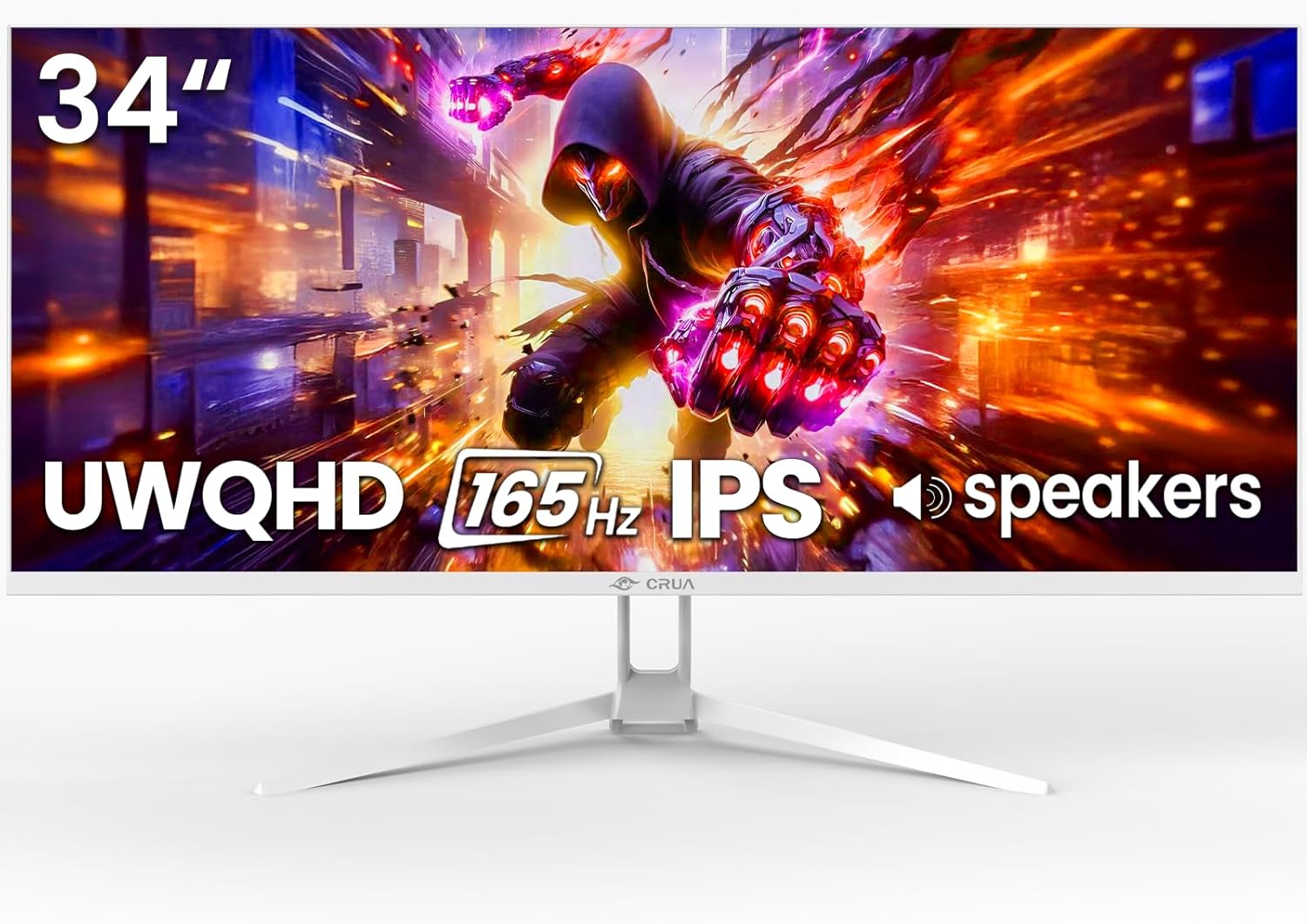
The CRUA 34-inch white ultrawide gaming monitor is a versatile display tailored for gamers, content creators, and multitaskers who crave immersive experiences. Its 21:9 WQHD 3440x1440 resolution delivers expansive horizontal space, perfect for splitting windows, viewing timelines, or enveloping yourself in games and movies without bezel distractions.
Standout features shine in real-world use: the IPS panel with 120% sRGB gamut produces vibrant, accurate colors from any angle, while 165Hz refresh rate paired with FreeSync eliminates tearing for smooth FPS and racing action. PIP and PBP modes allow seamless multitasking, like gaming while monitoring chat, and eye-care tech reduces strain during extended sessions.
Design emphasizes slim aesthetics and convenience with a white finish that complements modern setups, tool-free assembly, and flexible mounting options including a 75x75mm VESA pattern. Connectivity is robust with dual HDMI, DP, and audio ports, plus integrated speakers for casual use.
Potential drawbacks include HDMI capping at 100Hz, requiring DP for peak performance, and a tilt-only stand that may need a full ergonomic arm for some users. Speakers are functional but lack depth for immersive audio.
Overall, this monitor excels as a high-value ultrawide option, delivering pro-level visuals and performance for gaming and work at an accessible level. Ideal if you prioritize immersion and versatility.
Display: 34-inch IPS, 3440x1440 WQHD, 21:9 ultrawide, 165Hz (DP)/100Hz (HDMI), 120% sRGB, 380cd/m² brightness, 1000:1 contrast.
Features: AMD FreeSync, PIP/PBP, low blue light, flicker-free, 178° viewing angles.
Connectivity: 2x HDMI 2.0, 1x DP 1.4, 3.5mm audio, built-in speakers.
Ergonomics: Tilt adjustable stand (-5° to +15°), 75x75mm VESA mount.

Pros
- Exceptional ultrawide field of view for FPS and RPG gaming
- High contrast 3000:1 and 120% sRGB for rich, accurate colors
- Versatile PIP/PBP for simultaneous gaming and streaming
- Ergonomic adjustments for comfortable all-day use
- Broad connectivity with HDMI and DisplayPort options
Cons
- Full 120Hz refresh rate limited to DisplayPort 1.4
- VA panel may show minor ghosting in fast motion
- Large 49-inch size requires ample desk space
The Amzfast AMZG49C7U is a 49-inch ultrawide curved gaming monitor designed for gamers and multitaskers who crave expansive visuals. With its DQHD 5120x1440 resolution and 32:9 aspect ratio, it delivers a cockpit-like immersion perfect for FPS titles, RPGs, and productivity workflows on a single screen.
Standout features include a 120Hz refresh rate via DP 1.4, Adaptive Sync to eliminate tearing, and 1ms MPRT response for smooth action. The 120% sRGB coverage, 3000:1 contrast, and HDR support produce vibrant, detailed images, while PIP/PBP lets you split the screen for dual inputs, enhancing gaming marathons or work-from-home setups. Eye care tech like low blue light and flicker-free operation keeps fatigue at bay during extended use.
Build quality shines with a sturdy stand offering 110mm height adjustment, 40-degree swivel, and -5 to +20-degree tilt, plus VESA 75x75 compatibility. Multiple ports including dual HDMI 2.0 and DP 1.4 ensure easy connectivity, and preset modes optimize for FPS, cinema, or office tasks.
Drawbacks include the need for DP 1.4 to hit 120Hz and the monitor's massive footprint demanding a spacious desk. VA panel ghosting could appear in ultra-fast scenes, though it's minimal for most users.
Overall, the Amzfast AMZG49C7U excels as a productivity and gaming powerhouse, earning strong recommendation for anyone ready to upgrade to ultrawide dominance.
Display: 49-inch Fast VA, 5120x1440 DQHD, 32:9 aspect ratio, 1500R curvature, 120Hz refresh (DP 1.4), 1ms MPRT, 120% sRGB, 350nits, 3000:1 contrast, HDR.
Features: Adaptive Sync, PIP/PBP, Eye Care (Flicker-free, Low Blue Light), Anti-Glare.
Ergonomics: Height adjustable (0-110mm), Swivel (L20°/R20°), Tilt (-5°/+20°), VESA 75x75.
Ports: 2x HDMI 2.0, 2x DP 1.4.
Panel Viewing Angle: 178° H/V.

Pros
- Expansive 34-inch WQHD display with immersive 1500R curve
- Ultra-fast 180Hz refresh rate and 1ms GtG response for responsive gaming
- Superior color accuracy and HDR performance
- Ergonomic design reduces fatigue during long sessions
- Versatile connectivity options including fast USB ports
Cons
- Large 34-inch size requires ample desk space
- Lacks USB-C port for modern device charging
- Curved panel may not suit productivity multitasking
The Alienware AW3425DWM is a premium 34-inch ultrawide curved gaming monitor tailored for immersive gameplay. With WQHD resolution and a 1500R curve, it draws gamers into expansive open worlds, making it ideal for RPG enthusiasts, competitive players, and anyone seeking cinematic visuals on PC or console.
Standout features include a 180Hz refresh rate paired with 1ms gray-to-gray response time, AMD FreeSync Premium, and VESA AdaptiveSync for fluid, tear-free performance even in fast-paced action. DCI-P3 95% color gamut and VESA DisplayHDR 400 deliver sharp, vibrant imagery, while hardware low blue light and console mode support extended sessions without discomfort.
Design prioritizes gamers with an ergonomic adjustable stand for height, tilt, a compact base for space savings, 360-degree ventilation to prevent overheating, and simplified cable management. Ports like dual HDMI, DisplayPort, and USB 5Gbps hubs offer versatile connectivity, though it misses USB-C.
Potential drawbacks include its large footprint demanding desk real estate and the curve potentially less ideal for non-gaming tasks. Overall, the AW3425DWM excels as a high-performance gaming display, earning strong recommendation for serious gamers.
Display: 34-inch WQHD (3440x1440), 1500R curve, 180Hz refresh rate, 1ms GtG response time.
Sync Tech: AMD FreeSync Premium, VESA AdaptiveSync.
Color & HDR: DCI-P3 95%, VESA DisplayHDR 400.
Ports: 2x HDMI, 1x DisplayPort, USB 5Gbps Type-B upstream, 2x USB 5Gbps Type-A (one with BC 1.2).
Features: Low blue light, console mode, adjustable stand, 360° ventilation.
Pros
- Exceptional 240Hz refresh rate for competitive gaming
- Curved 1500R design enhances immersion and reduces eye strain
- Wide 178° viewing angles and anti-flicker for comfortable long sessions
- Included DP cable and VESA compatibility for quick setup
- Strong 3500:1 contrast with HDR for vivid images
Cons
- No built-in speakers requiring external audio
- FHD resolution limits detail compared to 1440p or 4K
- Limited to tilt adjustment without full ergonomic options
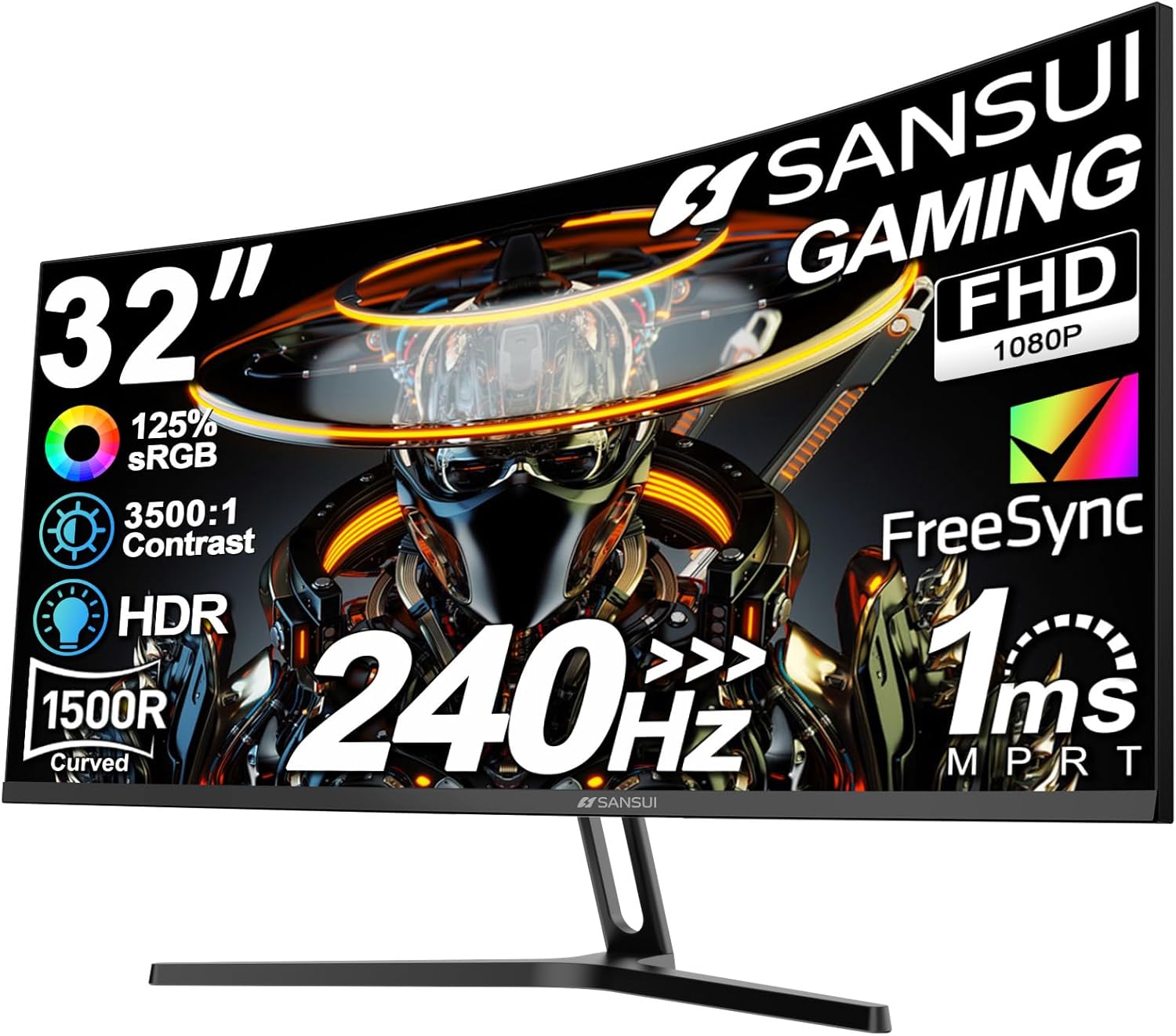
The SANSUI 32-inch curved gaming monitor is designed for gamers who demand high-performance visuals without breaking the bank. With its 1500R curvature, 240Hz refresh rate, and Full HD 1080p resolution, it targets competitive players in FPS, racing, and MOBA titles who prioritize speed and responsiveness over ultra-high resolution.
Standout features include a lightning-fast 1ms MPRT response time and built-in FreeSync, which eliminate ghosting and screen tearing during intense action. The 125% sRGB color gamut, HDR support, and 300 nits brightness produce punchy colors and deep blacks with a 3500:1 contrast ratio. Connectivity is solid with HDMI and DP 1.4 ports both supporting 240Hz, plus an earphone jack, making it compatible with PCs, consoles, and laptops.
Build quality shines with a sturdy metal stand offering -5° to 15° tilt and VESA 100x100mm compatibility for wall or arm mounting. The wide 178° viewing angles and low blue light certification ensure comfort during extended sessions, though the lack of height or swivel adjustments might require desk tweaks.
Potential drawbacks include no onboard speakers and FHD resolution that may not satisfy creators needing more pixels. Overall, this monitor excels in delivering immersive, fluid gaming at a compelling value, earning high marks for performance and ergonomics.
Verdict: Highly recommended for budget-conscious gamers seeking pro-level refresh rates and curve immersion. Pair it with a capable GPU for peak results.
Display: 32-inch curved 1500R, FHD 1920x1080, 240Hz refresh rate, 1ms MPRT, 125% sRGB, 16.7M colors, 300 nits, HDR, 3500:1 contrast, 178° viewing angles.
Performance: FreeSync, Anti-flicker, Low blue light.
Ports: HDMI (240Hz), DP 1.4 (240Hz), Earphone jack. DP cable included.
Design: Metal stand, Tilt -5°~15°, VESA 100x100mm. No built-in speakers.

Pros
- Exceptional color accuracy with 123% sRGB gamut
- Adaptive sync compatibility for tear-free performance
- Effective eye protection features
- Strong connectivity options including headphone jack
- High customer ratings for value and visuals
Cons
- No built-in speakers, requires external audio
- Tilt-only adjustment limits ergonomic positioning
- Parameters need HDR off for full customization
The KTC 27-inch QHD monitor with IPS panel is designed for casual gamers, office professionals, and multitaskers seeking a balance of performance and eye comfort. Its 2560x1440 resolution at 100Hz delivers crisp details for everyday use without overwhelming high-end demands.
Standout features include 123% sRGB coverage for vibrant, accurate colors, plus FreeSync and G-Sync support for smooth visuals free of tearing. HDR enhances dynamic range, while anti-blue light and flicker-free technology make extended sessions comfortable. Preset modes adapt quickly to gaming, work, or media, and real-world performance shines in fluid motion and color fidelity.
Build quality is solid with a slim bezel design and tilt adjustment from -5° to 15°. Connectivity via dual HDMI, DisplayPort, and headphone jack supports seamless switches between devices like PCs, PS5, or laptops, though it lacks advanced ergonomics like height adjustment.
Drawbacks include no onboard speakers and reliance on OSD menu tweaks with HDR disabled, which may frustrate some users initially. Still, these are minor for its target audience.
Overall, this monitor excels as an affordable upgrade for sharp, eye-friendly visuals, earning strong praise for casual gaming and productivity. Highly recommended for value-driven buyers.
Display: 27-inch IPS, QHD 2560x1440, 100Hz refresh rate, 123% sRGB, 100% high color gamut, HDR10.
Features: FreeSync & G-Sync compatible, anti-blue light, flicker-free, preset modes.
Connectivity: 2x HDMI, 1x DP, headphone jack.
Adjustability: Tilt -5° to 15°.
Other: No built-in speakers, 3-year warranty.
Does it have built-in speakers? No, connect audio via desktop or headphone jack.
How to adjust parameters? Use OSD menu under Scene Mode > User Mode; turn off HDR first.
Eye safety features? Yes, includes flicker-free and anti-blue light technology.

Pros
- Superior font clarity and code differentiation ideal for programming
- Advanced eye-care features like Night Hours and MoonHalo reduce strain
- Ergonomic design with pivot and VESA compatibility for flexible positioning
- High contrast 4K display excels in coding, media, and multitasking
- Low-reflection Nano Matte Panel minimizes distractions
Cons
- Large 32-inch size demands ample desk space
- Specialized coding focus may not suit general gaming needs
- Premium features could overwhelm casual users
The BenQ RD320U is a 32-inch 4K programming monitor designed specifically for developers and coders who spend long hours at their desks. It targets professionals seeking enhanced clarity and eye comfort, featuring technologies like the Nano Matte Panel and specialized coding modes to support deep focus and productivity.
Standout features include a 2000:1 contrast ratio for vivid blacks and sharp text differentiation, exclusive coding modes in dark and light themes, Night Hours Protection for low-light eye safety, and the MoonHalo backlight for customizable illumination. In real-world use, these deliver distraction-free viewing, making code easier to read and reducing fatigue during extended sessions, while DualView Plus allows simultaneous dual-source display for efficient multitasking.
Build quality shines with an ergonomic design offering pivot rotation, VESA mount compatibility, and 90W USB-C power delivery. The TUV-certified reflection-free panel ensures consistent performance in various lighting conditions, contributing to a premium feel suitable for professional setups.
Potential drawbacks include its sizable footprint, which may not fit smaller desks, and a coding-centric focus that prioritizes clarity over high-refresh gaming performance. Casual users might find the specialized modes unnecessary.
Overall, the BenQ RD320U earns high marks as a top choice for programmers valuing eye health and code precision, delivering a focused workflow that justifies its specialized design.
Nano Matte Panel: Low-reflection surface minimizes glare for maximum clarity and focus during coding.
Coding Modes: Dark and light themes optimize font rendering and code differentiation to cut eye strain.
Eye-Care Tech: Night Hours Protection and MoonHalo backlight provide tailored protection for any lighting.
Display Specs: 32-inch 4K resolution with 2000:1 contrast for immersive visuals in coding and media.
Ergonomics: Pivot, VESA support, and 90W USB-C for comfortable, versatile setups.
Best Monitors For Programming Buying Guide
Screen Size, Resolution, and Aspect Ratio
For programming, prioritize monitors with at least QHD or 4K resolution for razor-sharp text and ample screen real estate to split code editors, terminals, and docs side-by-side. A 3:2 aspect ratio shines for vertical scrolling through lengthy scripts, reducing the need for constant zooming. In our reviews, higher pixel density cuts eye strain during 8+ hour sessions, as seen in developer-focused models.
Consider your desk space: 27-32 inches balances immersion and ergonomics for productivity. Pair with a solid desk setup from our Computers section to enhance your workflow.
Panel Type, Refresh Rate, and Eye Comfort
IPS panels dominate for wide viewing angles and accurate colors, crucial when collaborating on code reviews. Aim for 100Hz+ refresh rates for buttery-smooth scrolling through code, minimizing motion blur. Eye-care features like flicker-free tech, low blue light, and nano matte coatings are game-changers for long-term reliability, backed by RTINGS.com testing on sustained use.
| Feature | Why It Matters for Programming |
| IPS Panel | Consistent colors from any angle |
| 100Hz+ Refresh | Smooth code navigation |
| Eye-Care Tech | Reduces fatigue over hours |
Connectivity, Ergonomics, and Smart Features
USB-C with 90W power delivery and KVM switches let you toggle between work and personal rigs seamlessly, ideal for hybrid setups. Height-adjustable stands and VESA compatibility ensure ergonomic positioning to prevent neck strain. According to PCMag, these features boost daily productivity by 20-30% in real-world coding scenarios.
Explore KVM-equipped options if you manage multiple machines, and check our Gaming PCs for powerful pairings.
Final Thoughts
The BenQ RD280U stands out as Best Overall for its 4K 3:2 panel, coding modes, and eye-care tech tailored for programmers. For Best Value, the Dell SE2426H offers smooth 144Hz performance at entry-level pricing. Ultrawide fans will love the Amzfast 49-inch for epic multitasking. Grab yours now and explore more in our Laptops section for portable complements. BenQ RD280U 28.2” 4K Programming Monitor
FAQs
What resolution is best for best monitors for programming in 2026?
QHD or 4K ensures crisp text for reading dense code. 3:2 ratios provide extra vertical space, mimicking paper for better focus during long sessions.
Are curved best monitors for programming good for programming?
Curved ultrawides excel for immersive single-monitor workflows but may distort straight lines in some IDEs. Stick to flat IPS for precision alignment; upgrade today for fatigue-free coding.
How important is refresh rate for coding monitors?
100Hz+ smooths scrolling and UI animations, reducing motion sickness. Tom’s Hardware notes it enhances comfort over stock 60Hz panels in extended use.
Do I need USB-C on my programming monitor?
Yes, for single-cable setups with charging and data. KVM adds multi-PC switching, perfect for devs. See our top picks and find your match now.
What’s the best panel for eye strain in best monitors for programming?
Nano matte IPS with low blue light and flicker-free backlights, as in BenQ models. DisplayNinja reviews confirm they maintain clarity over years.
Sources
This article was researched and written with reference to expert reviews and testing data from trusted sources including RTINGS.com, PCMag, Tom’s Hardware, DisplayNinja, Hardware Unboxed, and other category-relevant publications. All recommendations reflect real-world performance and value as of October 2026.




Write Your Review
No reviews yet. Be the first to share your experience!